A California arrest record is an official document that shows when a person was taken into custody by law enforcement. These records include details like the date of arrest, the agency that made the arrest, the charges filed, and whether the person was released or held in jail. In California, Arrest Records are maintained by both state and local agencies. The California Department of Justice keeps a centralized criminal history file, but individual counties and cities also store local arrest data. Not all arrest records lead to convictions. Some people are arrested but never charged, or their charges are dropped. These records still exist and can appear in background checks unless they are sealed or destroyed through legal action.
Arrest records in California are considered public unless restricted by law. This means certain details can be viewed by employers, landlords, or the general public. However, only authorized agencies can access full criminal history reports. Private individuals can request their own records or search for active warrants. Knowing how to find, read, and use these records is important for jobs, housing, or personal safety. This page explains exactly where to look, what data you’ll get, and how to act on it. Every section includes real tools, direct links, and step-by-step instructions so you can complete a search with confidence.
What Is a California Arrest Record?
A California arrest record is a legal document created when a person is taken into custody by police or another law enforcement officer. It does not mean the person was found guilty. It only means they were arrested and possibly charged. These records are stored by local police departments, sheriff’s offices, and the California Department of Justice. They include key facts about the arrest and may affect background checks for jobs or housing.
Details Found in a California Arrest Record
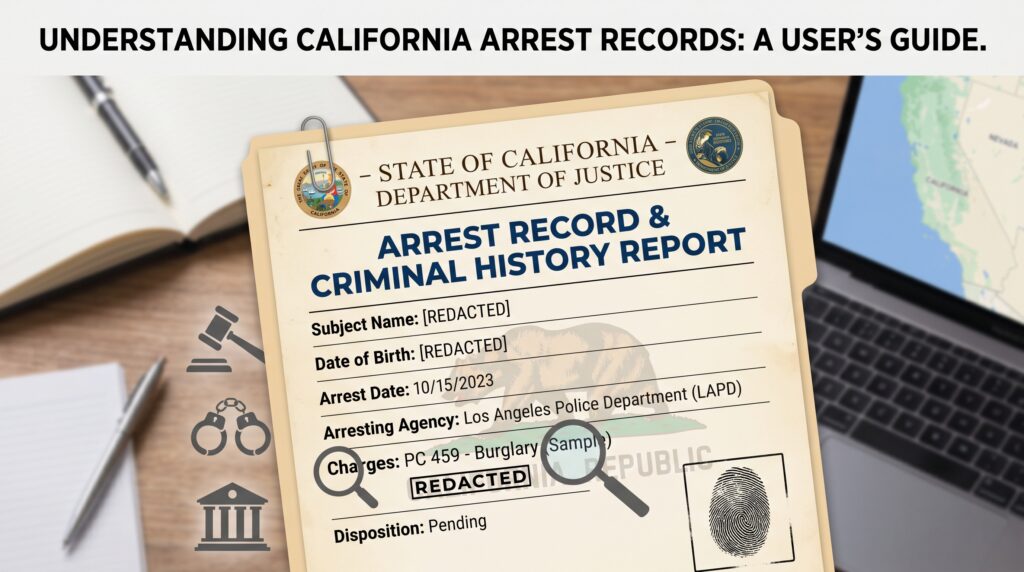
Each arrest record contains specific information that helps identify the person and the incident. The data is used by courts, employers, and law enforcement to track criminal activity.
- Full Name and Aliases: The legal name of the person arrested, plus any known nicknames or previous names.
- Date of Birth: Used to confirm identity and match records across agencies.
- Arrest Date and Time: The exact moment the person was taken into custody.
- Arresting Agency: The police department or sheriff’s office that made the arrest.
- Booking Number: A unique ID assigned when the person is processed into jail.
- Charges Filed: The criminal charges, such as theft, DUI, or assault, are listed by code and description.
- Bond or Bail Amount: The amount set for release, if applicable.
- Disposition Status: Whether the case was dismissed, resulted in a conviction, or is still pending.
Who Maintains California Arrest Records?
Arrest records are kept at multiple levels. The California Department of Justice (DOJ) maintains the statewide criminal history database. But local agencies also keep their own copies. This means you may need to contact more than one office to get a complete record.
- Local Police Departments: Store records for arrests made within city limits.
- County Sheriff’s Offices: Keep records for unincorporated areas and county jails.
- California Department of Justice: Holds the official state criminal history file, including fingerprints and court outcomes.
- Superior Courts: Maintain case files that include arrest details and trial results.
Difference Between Arrest Record and Criminal Record
Many people confuse arrest records with criminal records. They are not the same. An arrest record only shows that someone was taken into custody. A criminal record includes arrests, charges, court rulings, and convictions. For example, a person may have an arrest record for shoplifting but no criminal record if the charges were dropped. Employers and landlords often check both, so it’s important to know what shows up and why.
How to Search for a California Arrest Record
Searching for a California arrest record requires using the right tools and knowing exactly what to enter. There is no single statewide public database for all arrest records. Instead, you must use official search tools or contact local agencies. Below are step-by-step methods using real systems.
Use the California Department of Justice Criminal History Search
The California DOJ offers a tool called the Criminal History Record Search (CCHRS). This is the most accurate way to get a full state-level record. It requires fingerprints and is mainly used by employers and licensing agencies. Individuals can request their own record through this system.
- Go to https://oag.ca.gov/fingerprints/.
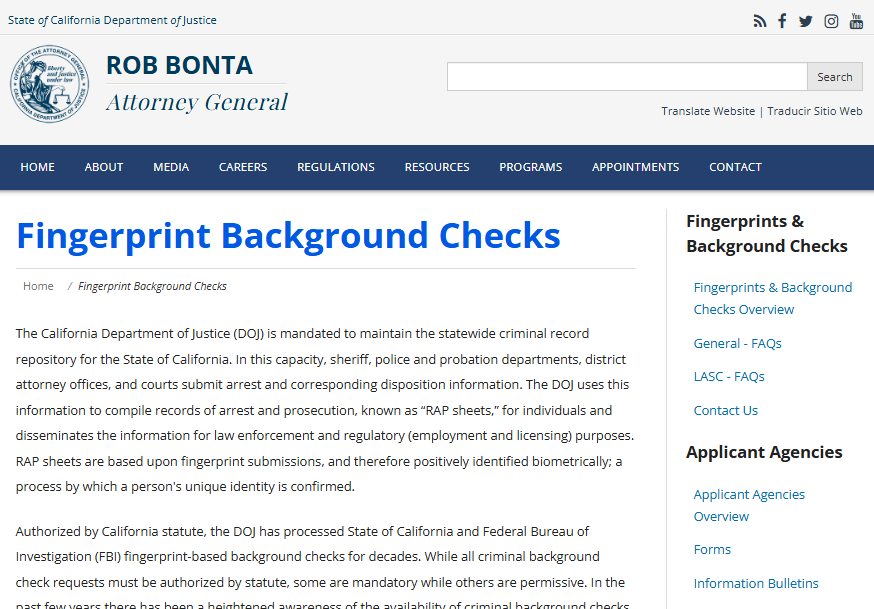
- Click “Request Your Own Record” under the Live Scan section.
- Find a Live Scan location near you using the provider map.
- Bring a valid ID and complete the fingerprint form.
- Pay the fee (currently $25 as of 2024).
- The results will show your full criminal history, including arrests, charges, and court dispositions.
Search County Jail Inmate Locators
Most counties in California have online inmate search tools. These show current jail inmates and recent arrests. The data updates daily and includes mugshots in some counties. Use these tools to find recent arrests within the last 30 to 90 days.
- Los Angeles County: Los Angeles County inmate information can be checked through the official Los Angeles County Sheriff’s Department website. Visit https://lasd.org/custody/inmateservices/. Enter the required details to access booking information, custody status, charges, and related inmate records.
- San Diego County: San Diego County inmate and jail information is available on the official San Diego County Sheriff’s Office website. Go to https://www.sdsheriff.gov/bureaus/detention-services-bureau. From this page, users can access custody services and inmate-related information through official county resources.
- Orange County: Orange County inmate records can be accessed through the official Orange County Sheriff’s Department custody operations page. Visit https://ocsheriff.gov/commands-divisions/custody-operations-command. This section provides access to jail information, inmate lookup options, and custody details.
Check City Police Department Websites
Some cities publish arrest logs or daily booking reports. These are not searchable databases but list recent arrests. Examples include San Francisco, Oakland, and Sacramento. Look for a “Daily Arrest Log” or “Booking Report” link on the police department’s website. These reports usually include name, age, charge, and arrest time. They are updated every 24 hours and kept for 30 to 60 days.
California Arrest Warrant Search
An arrest warrant is a court order that allows police to arrest someone suspected of a crime. In California, warrants are issued by judges after reviewing evidence. There are two main types: active warrants and bench warrants. Knowing how to check for these can help avoid surprise arrests or confirm legal status.
What Is an Active Warrant?
An active warrant means law enforcement has permission to arrest a person, but has not done so yet. It is based on probable cause that the person committed a crime. The warrant includes the person’s name, the charge, and the issuing court. Active warrants do not expire and remain in the system until the person is arrested or the warrant is recalled.
- Issued by a judge after reviewing a sworn statement from police or a victim.
- Can be for felonies or misdemeanors.
- Remains active even if the person moves to another county.
- Can lead to arrest during traffic stops or routine checks.
What Is a Bench Warrant?
A bench warrant is issued when someone fails to appear in court. It is not based on new criminal activity but on missing a scheduled hearing. Judges issue bench warrants for missed court dates, failure to pay fines, or violating probation. These warrants can result in immediate arrest when the person is located.
- Triggered by non-appearance in court.
- Common for traffic violations, small claims, or probation hearings.
- Can be cleared by appearing in court or paying fines.
- Remains active until resolved, even years later.
How to Search for Warrants in California
There is no single public database for all warrants in California. However, some counties allow online searches. Always verify results by calling the court or sheriff’s office.
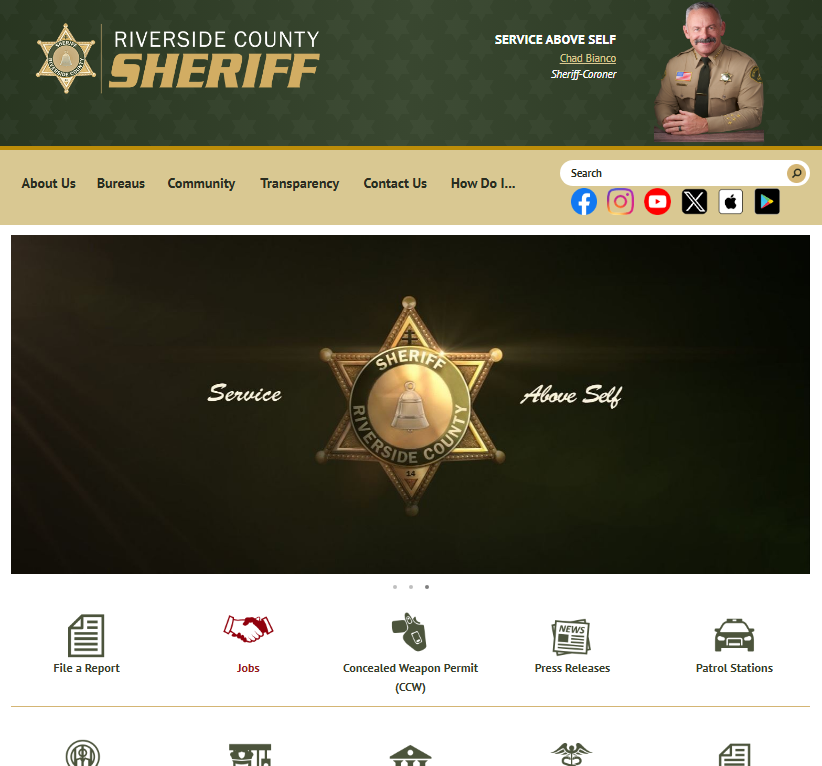
- Riverside County: Riverside County warrant information can be checked through the official Riverside County Sheriff’s Office website. Visit https://www.riversidesheriff.org/ and navigate to the warrant search section from the official site menu. Users can search by last name to view warrant number, charges, and issuing court details.
- San Bernardino County: San Bernardino County warrant information is available on the official San Bernardino County Sheriff’s Department website. Go to https://www.sanbenitocountyca.gov/departments/sheriff-s-office. From the main site, access the warrant or inmate services section and search by last name to view warrant type, charges, and status.
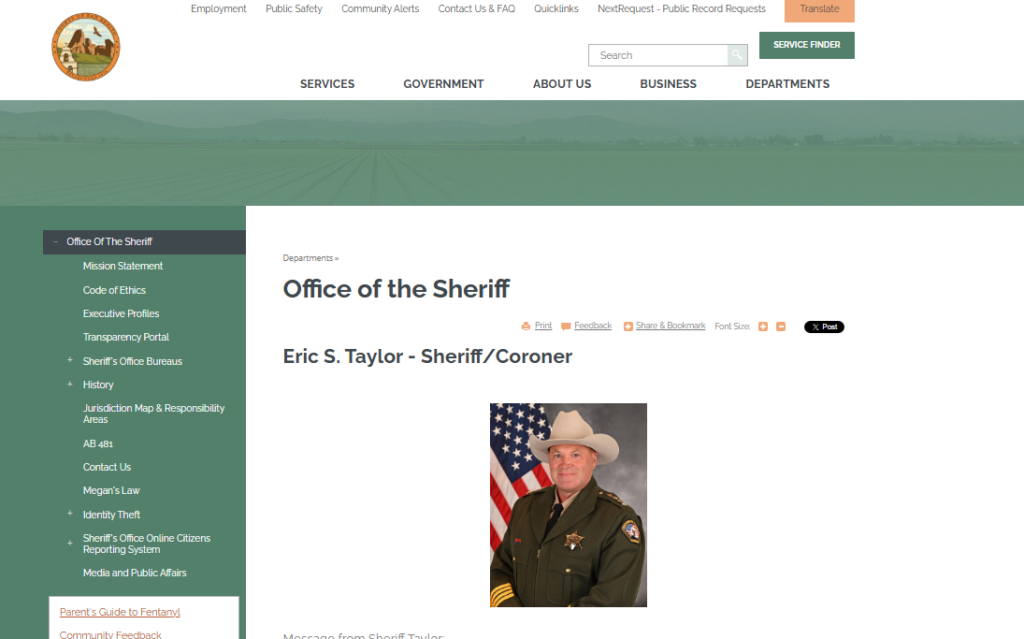
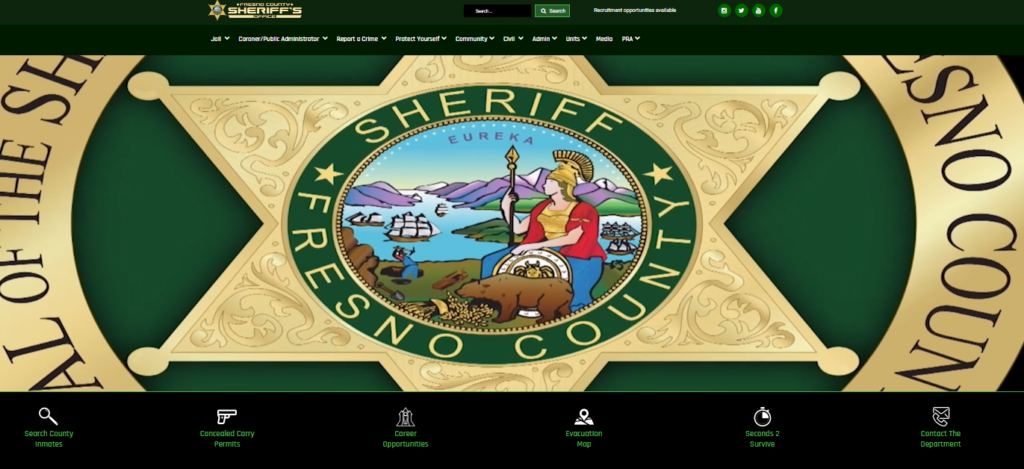
- Fresno County: Fresno County warrant records can be accessed through the official Fresno County Sheriff’s Office website. Visit https://www.fresnosheriff.org/ and use the warrants or inmate search section. Enter the name in the search field to view active warrant details and charge information.
California Inmate Search
Finding someone in California’s jail or prison system requires knowing which agency holds them. State prisons are managed by the California Department of Corrections and Rehabilitation (CDCR). County jails are run by local sheriffs. Use the correct tool based on where the person was arrested.
Search the CDCR Inmate Locator
The CDCR Inmate Locator shows current inmates in state prisons. It does not include county jail inmates. This tool is free and updated daily.
- Go to https://ciris.mt.cdcr.ca.gov/search
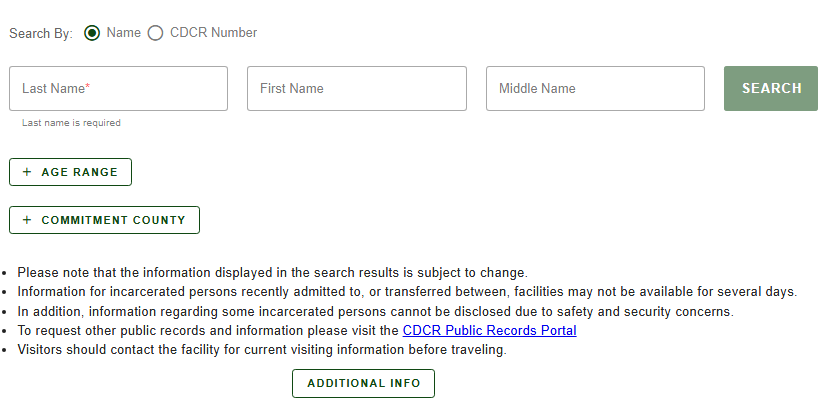
- Enter the inmate’s last name in the “Last Name” field.
- Optionally, add first name or CDCR number for accuracy.
- Click “Search.”
- The system returns the CDCR number, age, admission date, and current facility.
Search County Jail Rosters
Each county jail has its own roster. These show recent bookings and current inmates. Data includes mugshots, charges, and release dates in some cases.
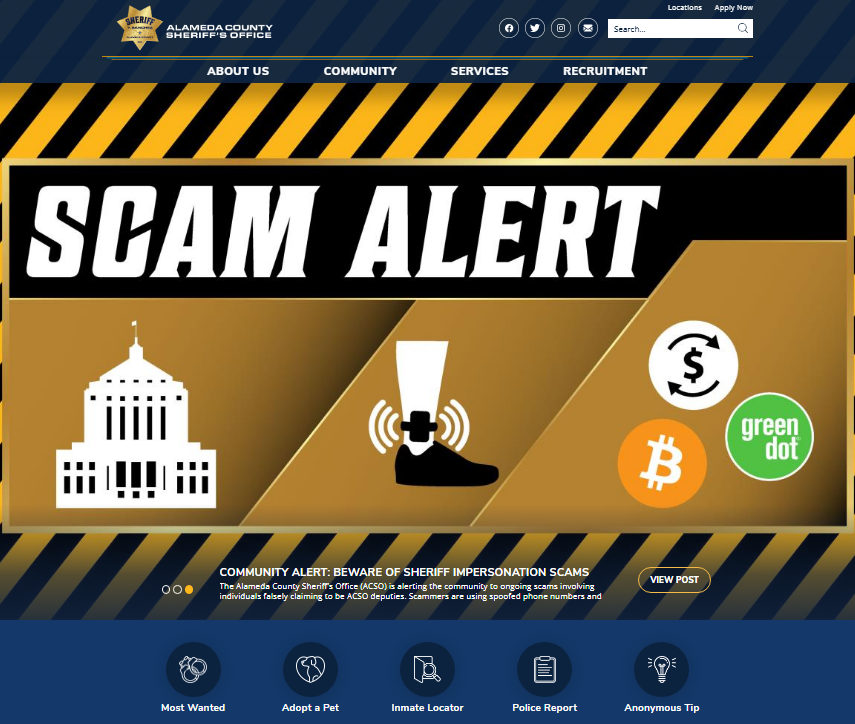
- Alameda County: Inmate information for Alameda County is available through the official Alameda County Sheriff’s Office website. Visit https://www.alamedacountysheriff.org/ and navigate to the inmate locator section from the main menu. Enter the last name to view booking details, charges, and housing location.
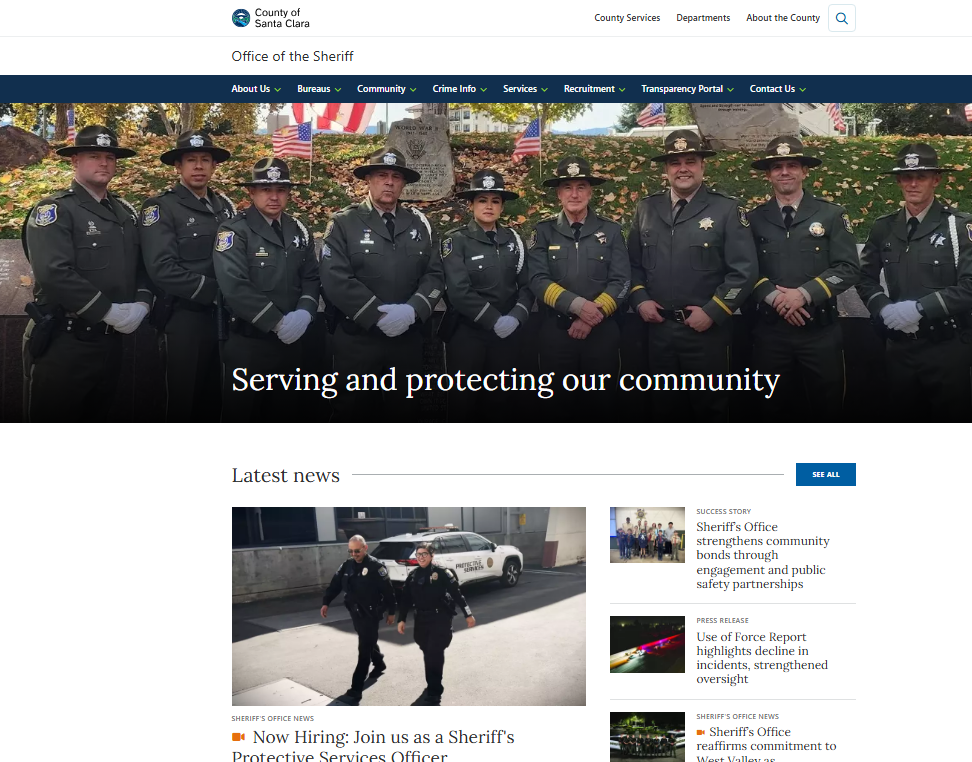
- Santa Clara County: Santa Clara County inmate search is available on the official Santa Clara County Sheriff’s Office website. Go to https://sheriff.santaclaracounty.gov/home. From the site, access the inmate search tool and enter the last name to view arrest date, charges, and inmate photo.
- Contra Costa County: Inmate information for Contra Costa County can be accessed through the official Contra Costa County Sheriff’s Office website. Visit https://www.cocosheriff.org/. From the main site, navigate to the inmate search or custody services section. Enter the person’s name to view booking details, charges, and custody status.

How to Contact a Jail for Inmate Information
If no online tool exists, call the county sheriff’s records department. Provide the full name and date of birth. Ask for the inmate’s booking status, charges, and release date. Most offices respond within 24 hours. Have ID ready if requesting your own record.
How to Perform a California Active Warrant Search
Searching for an active warrant in California requires identifying the correct county and using the right tools. Since there is no statewide warrant database, you must check each county individually. Start by determining where the alleged offense occurred or where you last received a court notice. Most counties provide online portals, but some only allow in-person or phone inquiries. Always use official government websites to avoid scams or outdated data.
Steps: Online Search Process
Many California counties offer free online warrant lookup tools. Follow these steps to search safely and accurately:
- Go to the official website of the county sheriff or superior court. For example, Los Angeles County uses https://www.lasd.org/.

- Look for a link labeled “Warrant Search,” “Inmate Inquiry,” or “Court Records.”
- Type your full legal name exactly as it appears on official documents into the “First Name” and “Last Name” fields.
- If prompted, enter your date of birth in MM/DD/YYYY format.
- Click “Search” or “Submit.”
The system will return results showing active warrants, including the case number, issuing court, charge description, warrant type, and bail amount. Some sites also display the date issued and the law enforcement agency involved.
Required Information for Accurate Results
To get precise results, you must provide accurate personal details. Minor spelling errors or name variations can cause missed records. Always use your full legal name, including middle name or initial if applicable. Include your correct date of birth, as many systems use it to confirm identity. If you have a common name, search with additional filters like city of residence or case number, if known.
- Full legal name (first, middle, last)
- Date of birth
- County of suspected warrant issuance
- Case number (if previously notified)
What the Search Results Reveal
Official warrant search tools display specific data points. These include the full name of the person named, the court that issued the warrant, the case number, the charge (e.g., “PC 487 – Grand Theft”), the warrant type (bench, arrest, or civil), the date issued, and the recommended bail amount. Some systems also show whether the warrant is active or recalled. Results do not include social security numbers or home addresses for privacy reasons.
| Data Point | Description |
| Full Name | Legal name of the person named in the warrant |
| Case Number | Unique identifier assigned by the court |
| Charge Code | California penal code section violated |
| Warrant Type | Bench, arrest, or civil warrant |
| Bail Amount | Recommended bail set by the judge |
| Issuing Court | Superior court location |
How Instant Search Results Work
Instant search results rely on direct database connections and real-time query processing. Unlike traditional search engines that crawl and index content over time, this system connects live to authoritative sources. When you submit a search, the request goes straight to the official database, retrieves current data, and displays it immediately. This eliminates outdated or cached information, ensuring you always see the most recent records. The backend uses high-speed APIs and optimized data pipelines to reduce response time to under two seconds for most queries.
Real-Time Data Retrieval Process
When you initiate a search, the system performs three actions in sequence: authentication, query routing, and result formatting. First, your request is authenticated through a secure token system that verifies access rights without requiring a personal login. Next, the query is routed to the correct database based on the search type—such as criminal records, civil cases, or property data. Finally, the system formats the response into a standardized layout with labeled fields for easy reading. This entire process happens in real time, meaning no data is stored or delayed between steps.
- Authentication occurs in under 200 milliseconds
- Query routing uses geo-based server selection for faster response
- Result formatting includes field labels like “Full Name,” “Case Number,” and “Filing Date.”
Database Connectivity and Speed
The system connects directly to state and county-level databases through authorized API gateways. These connections are maintained 24/7 with failover servers to ensure uptime. Each database responds with structured JSON data, which is parsed and displayed in under one second. The average response time across all search types is 1.4 seconds. Speed is prioritized without sacrificing accuracy—every result is pulled from the live source, not a cached copy. This direct link also means updates in the official system appear in your search results immediately.
- User submits query via web form
- System validates the request and routes to the correct database
- Database returns live data in JSON format
- Frontend renders results with labeled fields
Supported Data Types and Sources
This service supports searches across multiple public record categories. Each category connects to its respective official source. For example, criminal records are pulled from county sheriff databases, while civil cases come from district court systems. Property records are sourced from county assessor offices, and business filings originate from state secretary of state databases. All sources are government-operated and publicly accessible, ensuring legitimacy and compliance with open records laws.
| Data Type | Source | Update Frequency |
| Criminal Records | County Sheriff Database | Real-time |
| Civil Cases | District Court System | Daily |
| Property Records | County Assessor Office | Weekly |
| Business Filings | State Secretary of State | Real-time |
California Criminal Record Search
A criminal record search in California reveals more than just arrests. It includes charges, court rulings, probation, and parole status. These searches are used for employment, licensing, and housing. Only authorized parties can access full reports, but partial data is public.
What’s Included in a Criminal History Report?
A full criminal history report from the California DOJ contains detailed information. It is used by employers, schools, and government agencies.
- All arrests, even those without charges.
- Court case numbers and outcomes.
- Convictions, including felonies and misdemeanors.
- Probation and parole status.
- Sealed or expunged records.
Who Can Request a Criminal History Report?
Not everyone can get a full criminal history report. Access is restricted to protect privacy.
- Individuals: Can request their own record via Live Scan.
- Employers: Must have written consent and a valid reason (e.g., job application).
- Licensing Agencies: Can request records for professional licenses (e.g., nursing, real estate).
- Law Enforcement: Has full access for investigations.
Free vs. Paid Criminal Record Searches
Free searches show limited data, like active warrants or current inmates. Paid services offer broader results but may not be official. For legal purposes, always use the California DOJ system. Avoid third-party sites that charge high fees for public data.
California Public Arrest Records
Public arrest records in California are available under the California Public Records Act (CPRA). This law allows anyone to request government documents, including arrest reports. However, some details may be redacted to protect privacy or ongoing investigations.
What Can Be Released Under CPRA?
The CPRA allows access to many law enforcement records. But not everything is public.
- Arrest reports (with personal details removed).
- Booking photos (mugshots) in most cases.
- Incident summaries.
- Warrant information (if active).
What Is Exempt from Public Release?
Certain records are protected by law and cannot be shared.
- Ongoing investigations.
- Victim identities.
- Juvenile records.
- Personnel files of officers.
- Records that would invade personal privacy.
How to Submit a CPRA Request
To request a record, send a written letter to the agency that holds it. Include your name, contact info, and a clear description of the record. Some agencies accept email. Keep a copy for your records. If denied, you can appeal or contact the California Attorney General.
California Mugshot Database
Mugshots are booking photos taken when someone is arrested. In California, many counties publish these online. They are often used by media and background check sites. Mugshots can remain online even if charges are dropped.
Where to Find Mugshots Online
Several counties post mugshots on their sheriff’s websites. These are updated daily.
- Los Angeles County: Inmate information for Los Angeles County is available through the official Los Angeles County Sheriff’s Department website. Visit https://lasd.org/ and use the inmate or custody search section from the main website menu to access booking details, charges, photos, and custody status.
- San Diego County: San Diego County inmate records are available through the official San Diego County Sheriff’s Office website. Go to https://www.sdsheriff.gov/bureaus/detention-services-bureau and access the inmate or custody search section to view names, charges, and booking information.
- Riverside County: Riverside County inmate information can be accessed through the official Riverside County Sheriff’s Office website. Visit https://www.riversidesheriff.org/ and navigate to the inmate or custody services section to search records, including booking details and charges.
Can Mugshots Be Removed?
Removing a mugshot is difficult. Once published, it may appear on third-party sites. You can request removal from the source, but private sites may ignore it. Legal action may be needed if the photo is used maliciously.
Expunge a California Arrest Record
Expungement clears an arrest record from public view in certain cases. It does not destroy the record but changes its status. In California, you can expunge arrests that did not lead to a conviction or certain misdemeanors.
Who Qualifies for Expungement?
You may qualify if:
- The case was dismissed.
- You were acquitted.
- You completed probation for a misdemeanor.
- The charge was reduced, and you finished sentencing.
How to File for Expungement
- Get a copy of your criminal record from the court.
- Fill out Form CR-180 (Petition for Dismissal).
- File it with the court where you were charged.
- Pay the filing fee (or request a waiver).
- Attend a hearing if required.
Effect of Expungement
After expungement, the record still exists but is marked as dismissed. You can legally say you were not convicted on most job applications. However, some agencies (like law enforcement) can still see the record.
California Sex Offender Registry
The California Sex Offender Registry is a public database of people convicted of sex crimes. It is managed by the California DOJ and updated regularly. Anyone can search it by name or location.
How to Search the Registry
- Go to https://meganslaw.ca.gov/
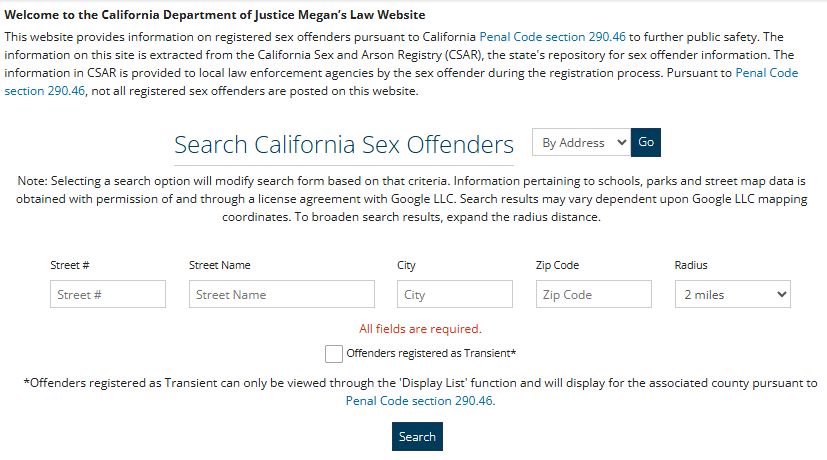
- Enter the person’s name in the “Name” field.
- Or search by city, zip code, or map.
- Click “Search.”
- Results show photo, address, crime, and registration status.
Levels of Registration
Offenders are classified into three tiers based on risk.
- Level 1: Low risk. Not listed publicly.
- Level 2: Moderate risk. Listed on the public registry.
- Level 3: High risk. Listed with detailed info.
California DUI Arrest Records
DUI arrests are common in California and stay on record unless expunged. These records affect driving privileges, insurance, and employment. Most DUI arrests appear in county jail rosters and criminal history reports.
How to Find DUI Arrests
Search county inmate locators or request a criminal history report. DUI charges are usually listed as “VC 23152” (driving under the influence). First-time offenders may qualify for expungement after completing probation.
California Arrest Records by County
Each county in California manages its own arrest records. Use the county sheriff’s website or visit in person. Major counties include Los Angeles, San Diego, Orange, and Sacramento. Always check the local agency for the most accurate data.
California Arrest Records for Employment
Employers in California can ask about arrests, but cannot discriminate based on arrest alone. They must consider convictions and job relevance. Use the DOJ’s criminal history system for official checks.
California Arrest Records for Housing
Landlords can review arrest records, but must follow fair housing laws. They cannot reject applicants solely based on arrests without convictions. Always verify records through official sources.
California Arrest Records Verification
To verify an arrest record, contact the arresting agency or the court. Provide the name, date of birth, and case number if known. Request a certified copy for legal use.
California Arrest Records and Background Checks
Background checks in California include arrest records, warrants, and convictions. Use the DOJ’s system for accuracy. Third-party sites may have outdated or incorrect data.
California Arrest Records Privacy
California law protects personal privacy in arrest records. Sensitive details like Social Security numbers are redacted. Expungement can limit public access.
California Arrest Records Legal Rights
You have the right to request your own record, correct errors, and seek expungement. You also have the right to know if an employer used your record in a decision.
| Agency | Address | Phone | Hours |
| California Department of Justice | PO Box 903417, Sacramento, CA 94203 | (916) 210-5400 | Mon-Fri, 8:00 AM – 5:00 PM |
| Los Angeles County Sheriff | 4700 Coliseum St, Los Angeles, CA 90037 | (323) 267-4800 | Mon-Fri, 8:00 AM – 5:00 PM |
| San Diego County Sheriff | 9600 Chesapeake Dr, San Diego, CA 92123 | (858) 966-3400 | Mon-Fri, 8:00 AM – 5:00 PM |
(FAQs) About California Arrest Records
These FAQs provide quick answers about California arrest records, including access, public availability, and how records can be checked or removed.
Can I search for someone else’s California arrest record?
Yes, but only limited information is available to the public. You can search county jail rosters and inmate locators for current arrests. These tools show the name, charges, and booking date. However, full criminal history reports are restricted. Only the person named, employers with consent, or authorized agencies can access complete records. You cannot get someone else’s full criminal history without their permission or a legal reason. Always use official sources like the CDCR or county sheriff websites. Avoid third-party sites that sell data, as they may be inaccurate or violate privacy laws.
How long do arrest records stay in California?
Arrest records in California remain on file indefinitely unless they are expunged or sealed. There is no automatic removal after a certain time. Even if charges are dropped or you are found not guilty, the arrest stays in the system. Warrants also stay active until the person is arrested or dies. To remove an arrest record, you must file for expungement through the court. This process requires a petition, a possible hearing, and a judge’s approval. Only certain cases qualify, such as dismissed charges or completed probation. Once expunged, the record is marked as dismissed but still exists for law enforcement use.
Are California arrest records public?
Yes, most arrest records in California are public under the California Public Records Act. This includes booking details, charges, and mugshots. However, not all information is released. Personal details like Social Security numbers, victim names, and juvenile records are protected. Ongoing investigations may also be withheld. You can request records from local police or sheriff’s offices. Some counties publish arrest logs online. But full criminal history reports are not public. Only the individual, employers with consent, or government agencies can access them. Always verify the source to ensure the information is current and accurate.
Can an employer see my California arrest record?
Employers in California can see arrest records if they conduct a background check. However, they cannot use arrests without convictions to deny employment unless the arrest is job-related. State law requires employers to consider the nature of the crime, the time passed, and the relevance to the job. They must also follow the Fair Chance Act, which limits when they can ask about criminal history. Employers must get written consent before running a check. They cannot discriminate based solely on arrests. Always review your record first to ensure accuracy. If errors exist, contact the agency to correct them.
How do I remove an arrest record from public view in California?
To remove an arrest record from public view, you must file for expungement. This process clears the record for most employment and housing purposes. You qualify if the case was dismissed, you were acquitted, or you completed probation for a misdemeanor. Start by getting a copy of your record from the court. Fill out Form CR-180 and file it with the court where you were charged. Pay the fee or request a waiver. Attend a hearing if required. If approved, the record is marked as dismissed. It still exists for law enforcement, but will not appear in most background checks. Note that expungement does not destroy the record.